Multi-store
Store access, inventory transfers and business reporting.
Give each store room to operate while keeping the wider business in view. Muavi supports multiple jewelry locations with store-aware operations and administration.
The right workspace for each location
Switch between the stores available to your account. Staff access and store-specific operations help teams work in the right location throughout the day.
- Store switching
- Staff access by location
- Store-specific settings and operations
Inventory that can move with demand
Use inventory transfers when a piece needs to move between locations. Keep the transfer and receiving work organized instead of relying on a separate conversation to track the move.
- Inventory visibility by location
- Transfer records
- Receiving workflows
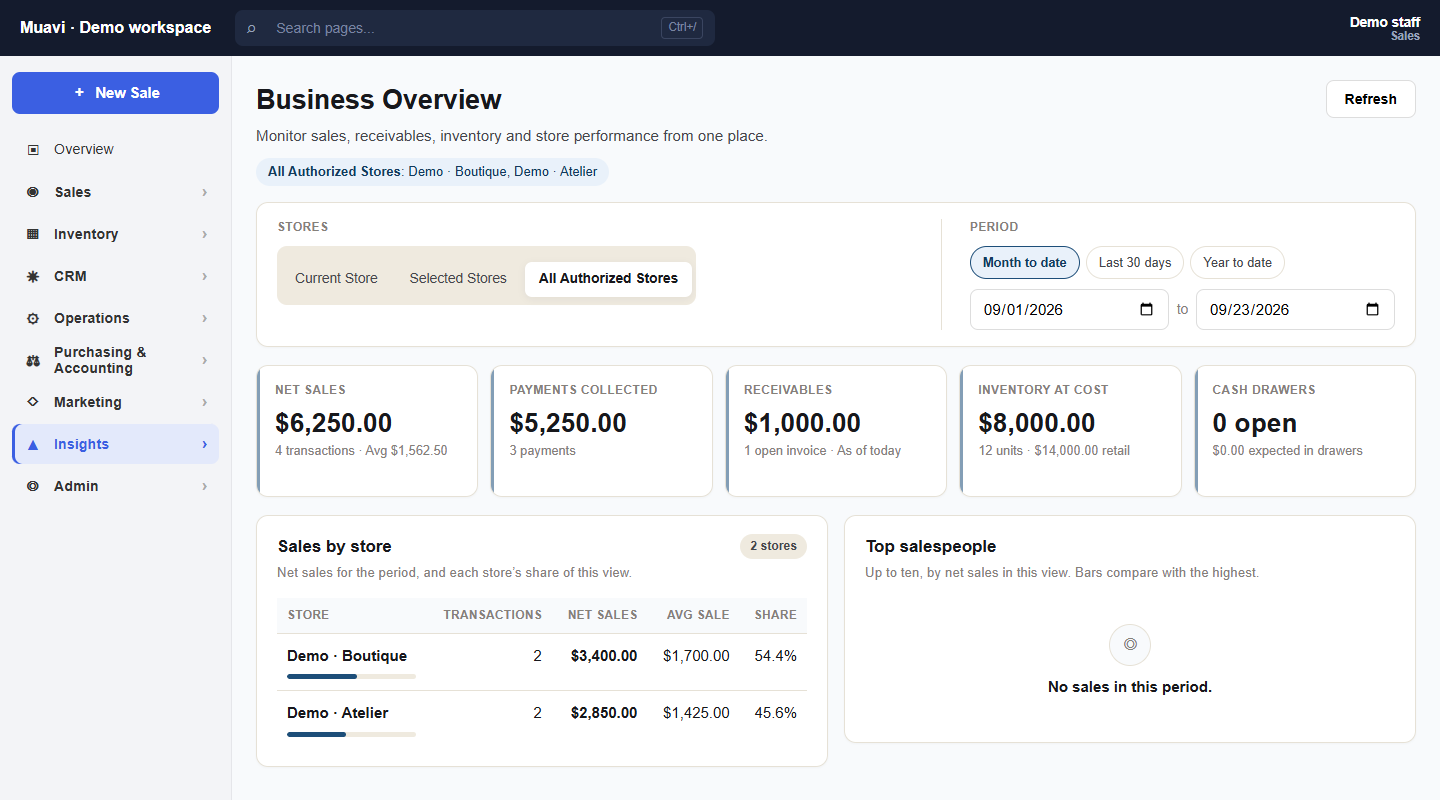
See the business across stores
Business Overview brings reporting across the stores a user is allowed to see. Review location performance alongside the broader picture without assuming every employee needs access to every store.
- Cross-store business overview
- Location comparisons
- Central store administration
KEEP EXPLORING
Connected to the rest of your business.
Inventory & RFID
A SKU alone cannot describe a jewelry collection. Muavi brings jewelry-specific attributes and physical-piece tracking into the same inventory workflow.
Explore Inventory & RFID 02 /Financial Operations
A sale, a vendor invoice and a future-dated check each ask a different question. Keep the operational records your team needs close to the business activity behind them.
Explore Financial Operations 03 /Pricing
Choose retail, wholesale or both. Compare your workflows and billing options, then confirm your current subscription price during signup.
Explore PricingYOUR NEXT CHAPTER
Let’s talk about
your jewelry business.
Bring your workflows, your questions and your plans for what comes next.
Your request is sent privately to the Muavi team.